

ENTBLOG: jquery tutorials ENTBLOG: jquery tutorials
Featured Featured
how-to-use-your-android-device-as
How To Use Your Android Device as Keyboard and Mouse
dent-free-data
Sharing of Apk Files on Whatsapp Made Easier
9mobile-special-offer
9mobile Special Data, Get 1GB Data for N200 and 5GB for N1000
mtn-double-data-cheat
New Method To Activate MTN 100% Double Data Bonus Via IMEI Tweaking


Showing posts with label jquery tutorials. Show all posts

Aug 28, 2017

Beautiful Jquery mail form using Php and Css


Huh, more than 1 hour of work and i finished it now.
An amaizing Jquery Form to send an email.

Once someone clicks on any of the boxes they get empty.
Input data first get filtered for empty or same text of the input default box.

Enough talking!

Note! Downloaded version is much cooler.

View Demo Download


This is index.html


Less4us ~ Mail form


Success! Mail sent succsesfuly
Error! Mail not sent, please check details

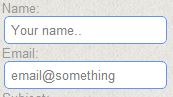
Jquery email form


Name:


Email:


Subject:


Body:


I included jquery on the file downloads, if you want this script for your website i suggest replacing:


With


Now the style.css


#box{
margin-left: 10px;
}
#box span{
color: #999;
font-size: 13px;
}
#box input[type="text"], #box textarea{
outline: none;
color: gray;
border: 1px solid #6495ED;
}
#box input[type="text"]:focus, #box textarea:focus{
color: gray;
border: 1px solid gray;
}
#box input[type="text"]:hover, #box textarea:hover{
border: 1px solid green;
color: #009999;
}
#box input[type="text"]{
padding: 5px;
-webkit-border-radius: 5px;
}
#box textarea{
-webkit-border-radius: 5px;
-moz-border-radius: 5px;
border-radius: 5px;
width: 350px;
height: 100px;
}
#box input[type="submit"]{
color: gray;
padding: 5px;
border: 1px solid gray;
-webkit-border-radius: 5px;
-moz-border-radius: 5px;
border-radius: 5px;
text-decoration: none;
}
#box input[type="submit"]:hover{
color: white;
background: black;
border: 1px solid black;
}
#sucess{
margin-left:25%;
margin-right:25%;
background: #7FFF00;
display: block;
padding: 10px;
text-align: center;
font-size: 15px;
color: green;
font-weight: bold;
-webkit-border-radius: 5px;
-moz-border-radius: 5px;
border-radius: 5px;
}
#error{
margin-left:25%;
margin-right:25%;
background: #FA8072;
display: block;
padding: 10px;
text-align: center;
font-size: 15px;
color: red;
font-weight: bold;
-webkit-border-radius: 5px;
-moz-border-radius: 5px;
border-radius: 5px;
}


And submit.php file, i made it simple just to show the idea of the tutorial


// send the email

$data = " Name --> ".$_GET['name']. "
Body --> ".$_GET['body']."
-0-0-0-0-0-0-0-0-0-0-0-0-0-0-0-0-0-0-
";

mail( $_GET['email'],  $_GET['subject'] ,  $data);
?>

Using blogger tags to beautify template and creating plugins

Alright, long time without making a post huh.
On today's post i decided on making a simple tutorial on blogger, creating plugins by adding short tags and features to template

Blogger, add link to website

Blogger add link to website pluginDemo: just drop down to post end.
Uisng blogger tags we can get currect url easily.
Go to Blogger > Template > tick Expand widget template and search for:
 Above it paste this code: 
Add this post to your website
 and you're done

Title tag seo

Using this method you can easily self specify the way the title tag can be shown in the page.
Again go to Blogger > Template > tick Expand widget template and search for:

At the top (most of cases) you will find this piece of code

<data:blog.pageTitle/> - Web Developement blog, Tutorials on Php, Mysql, Jquery with examples

<data:blog.pageName/> - <data:blog.title/>
What it does is, if homepage display some title, if post display post title and page title.
You can easuly costumize it on your own, ex showing only blog post without title (seo), ex:
   
    <data:blog.pageTitle/>
   
    <data:blog.pageName/> - <data:blog.title/>
   

Adsense tips

Meta keywords

They do not have any seo benefit anymore for most of search engines like google and bing.
The only purpose of using them is defining what type of ad category should be shown on the site, also for showing ads with high CPC(cost per click)
The best tool on finding this keywords is Google keyword tools.
After you got some nice keywords, all of them should not pass 200-500 chars then find the part and below it type:

 Showing ads above post

Search for
the second result and above it add your adsense code.
First of all you shoul encode the adsence code the paste it above just like this:
<script type="text/javascript"><!--
google_ad_client = "ca-pub-ID";
/* post */
google_ad_slot = "ID";
google_ad_width = 336;
google_ad_height = 280;
//-->
</script>
<script type="text/javascript"
src="http://pagead2.googlesyndication.com/pagead/show_ads.js"> </script>
Hope you like this simple tips i made, also ill create the socond part soon on using blogger template functions.